RCS Business Messaging
Rich messages. Real conversations.
Send branded messages with images, rich cards and tappable buttons inside the customer's messaging app, so they can track an order, book a visit or reply in one tap. Availability depends on the customer's device, network and provider support.
In the contact form, choose RCS Messaging so the right person replies.
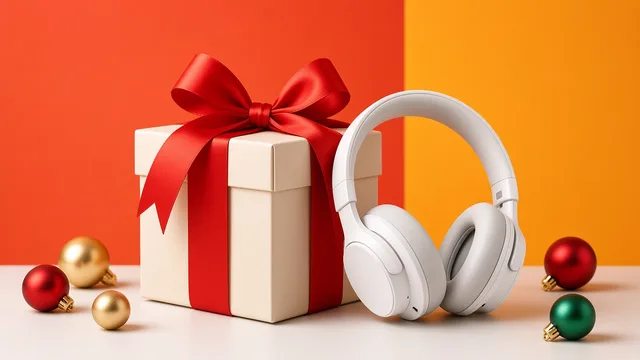
A little something for you 🎁
Enjoy 15% off your next order.
In plain words
What is RCS Business Messaging?
RCS (Rich Communication Services) lets a business send messages that look more like a small web page, inside the phone's own messaging app, such as Google Messages. A message can show your business name and logo, pictures and buttons.
Your business sends the message first, for example when an order ships. The customer replies by typing or tapping a button, and the reply comes back to your business.
How is it different from SMS?
- SMS is plain text that almost any mobile phone can receive. Simple and dependable, but no pictures or buttons.
- RCS adds branding, images and buttons on phones and networks that support it.
- Many businesses use both: RCS where it's supported, SMS for everyone else.
SMS
YRBRND
Your order has shipped and should arrive on Thursday. Track it here: example.com/track - Your Brand
RCS
Your Brand
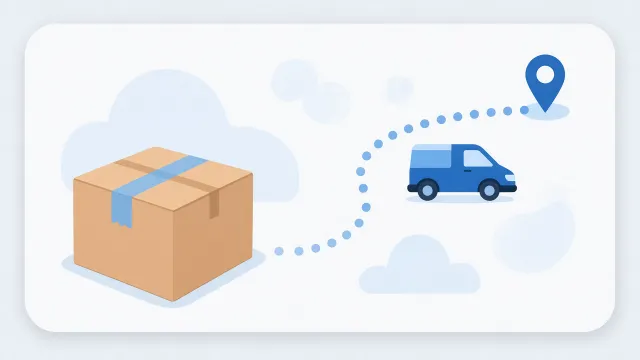
Your order is on its way
Arriving Thursday.
RCS features
What you can send with RCS
Six building blocks you can combine in one conversation.
Feature support varies by provider, by the customer's phone and messaging app, and by network. We confirm what's available for your use case during onboarding.
Rich cards
An image, a title, short text and up to four buttons in a single message.
Carousels
A row of rich cards customers swipe through, such as products or plans, each with its own button.
Images and video
Pictures, GIFs and short videos, plus documents such as PDFs where the messaging app supports them.
Suggested replies
Tappable answers such as "Confirm" or "Reschedule". The customer's choice comes back to your business as a reply.
Action buttons
Buttons that open a website, start a call, show a location or add an event to the calendar.
Business identity
Your business name, logo and brand colour in the conversation. A verification mark appears only after brand verification and agent launch.
Illustrative examples
What customers see
Three common formats. These mockups are illustrative, not SMSTAKE customer campaigns, and real messages look different on each phone and app.
Today 9:41 AM
Your verification code is 482931. It will expire in 10 minutes.
OTP message
A secure verification code with a clear expiry time.
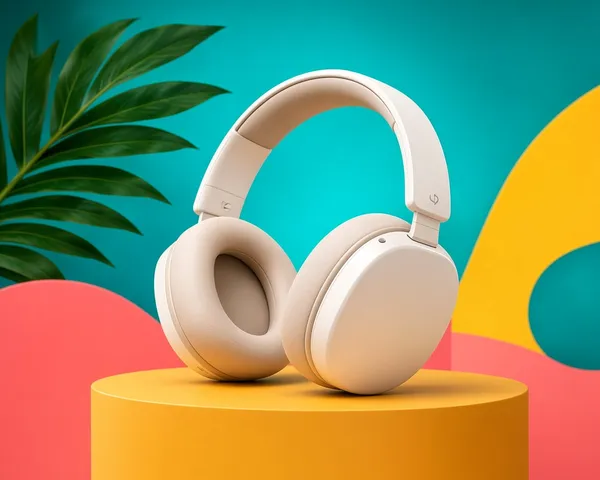 15%
15%OFF
A little something for you
Premium sound. All-day comfort. Now at a special price.
Shop offer View detailsColorful RCS promotion
A rich card with an image, short text and action buttons that drive engagement.
Hi, I'm having an issue with my API key. Can you help?
Hello! Sure, I'd be happy to help. Can you share the error message you're seeing?
It's a 401 error when sending a request.
Got it — this usually happens when the API key is invalid or expired. Let's regenerate your key and try again.
Support conversation
A two-way chat for real-time customer support.
Appointment confirmed
Saturday at 10:30 AM. Everything you need for your visit:
Action buttons
Buttons that do something on the phone
Besides replies, a button can take the customer straight to the right place.
Website
Opens a page on your website, such as order tracking, a product or a payment page.
Call
Opens the phone dialler with your number filled in, ready for the customer to call.
Directions
Shows your location on a map, so the customer can find your store or clinic.
Calendar
Adds an event, such as an appointment, to the customer's calendar with the date and time filled in.
How it works
How an RCS message travels
The same five steps happen for every message.
Your business system
Your store, CRM or booking tool decides to send a message, for example "order shipped".
RCS platform
The message goes to the RCS platform, which checks whether the customer's phone can receive RCS.
Customer's messaging app
The customer sees your rich card in a compatible app, such as Google Messages.
Customer responds
They type a reply, or tap a suggested reply or an action button.
Replies and status
Replies, and status updates such as delivered or read, can be passed back to your system, depending on the setup.
Replies
Typed replies and suggested-reply taps come back to your business, so the conversation can continue. Who answers, your team or an automated flow, is set up with you.
Delivery and read status
RCS can report events such as delivered and read. Which status updates SMSTAKE passes to you for RCS is confirmed during onboarding.
APIs and webhooks
SMSTAKE offers a REST API and delivery-report webhooks (see the API overview and DLR webhook guide). RCS-specific API and webhook details depend on the provider setup and are shared during onboarding.
RCS vs SMS
RCS vs SMS at a glance
Most businesses use both. Here's how they differ.
| What you compare | SMS | RCS Business Messaging |
|---|---|---|
| Media | Text only. Links appear as plain web addresses. | Images, GIFs and video in rich cards and carousels. PDF documents where the messaging app supports them. |
| Branding | A short approved sender ID is shown as the sender name. | Your business name and logo can appear in the conversation. A verification mark appears only after your brand is verified and your RCS agent is launched. |
| Interaction | Customers can tap a link. Whether they can reply depends on how the sender is set up. | Suggested replies and action buttons, such as opening a website, calling you, viewing a location or adding a calendar event. |
| Reach | Works on almost all mobile phones. In India, commercial SMS needs DLT registration and approved templates. | Only where the customer's phone, messaging app and network support RCS, and after your RCS agent is approved and launched. |
SMS fallback needs to be set up
If a customer can't receive RCS, the message isn't delivered as RCS. An SMS goes out instead only if SMS fallback has been configured, usually as a separate DLT-approved SMS. How fallback works is agreed during onboarding. Read more about SMSTAKE Bulk SMS.
Getting started
Starting RCS with SMSTAKE
Our team walks you through each step, and our support team is available 24/7.
Talk to our team
Tell us what you want to send, who your customers are and which systems you use today.
Plan your messages
Decide which updates suit RCS, what they should look like, and how customers without RCS will be reached.
Brand verification and approval
Before launch, your brand is verified and your RCS agent is reviewed. Google and participating mobile networks make these approval decisions.
Go live
Once your RCS agent is approved and launched, messages can start reaching customers on supported phones and networks.
Confirmed with you during onboarding
These depend on your account and use case, so they are not promised in advance. Our team confirms them with you before you go live.
- Pricing for RCS messages
- Which mobile networks and devices your messages can reach
- Brand verification and agent approval
- Expected timelines for verification and approval
- Delivery and read status reporting
- How SMS fallback is set up for customers without RCS
FAQ
Common questions about RCS
Does RCS work on every phone?
No. RCS messages reach customers only when their phone, messaging app and mobile network support RCS, and when your RCS agent has been launched on their network. Customers who can't receive RCS need another channel, such as SMS.
What happens if a customer can't receive RCS?
The RCS platform reports that the message can't be delivered as RCS. If SMS fallback has been configured, an SMS can be sent instead. How fallback works depends on the provider setup, so it should be agreed during onboarding.
Can customers reply to RCS messages?
Yes. Customers can type a reply or tap a suggested reply, and the reply comes back to your business. How replies reach your team or your systems is set up during onboarding.
Will my business show a verified badge?
Not automatically. A verification mark is shown only after your brand has been verified and your RCS agent has been approved and launched. Google and participating mobile networks make those approval decisions.
Should I replace SMS with RCS?
Most businesses use both. RCS suits messages that benefit from images and buttons on supported phones, while SMS remains useful for reaching almost any mobile phone. In India, commercial SMS also needs DLT registration and approved templates.